Accelerating field operations with an intuitive interaction model
Product Manage
Manage (acquired by Siemens) is an industrial-scale platform to manage lighting systems and energy consumption of a building. For Siemens' field engineers, the platform is the primary interface for bringing massive buildings "to life" at the time of construction.
Details
Problem The Commissioning Bottleneck
The legacy interface was a "wall of data" that lacked visual hierarchy and flow. Field engineers were forced to navigate a high-friction setup process where connecting fixtures was slow and unintuitive, leading to a 5-day commissioning lag per building and frequent installation errors.
Solution A Streamlined Interaction Model
I redesigned the core commissioning workflow, introducing a collapsible navigation system and a refined visual language. By balancing high-density data with a minimalist UI, the new model allowed engineers to process installations with significantly less cognitive strain.
Result A Faster Setup
The redesign cut the commissioning cycle from 5 days to 2. The new interface achieved 100% adoption among building managers, drastically reducing error rates during hardware pairing and saving hundreds of manual labor hours per project.
Building Setup Time
Accelerated the commissioning cycle by 60% through a streamlined interaction model.
Commissioning Accuracy
Eliminated manual coordinate entry errors by implementing a direct drag-and-drop fixture pairing interface.
Screen Real Estate
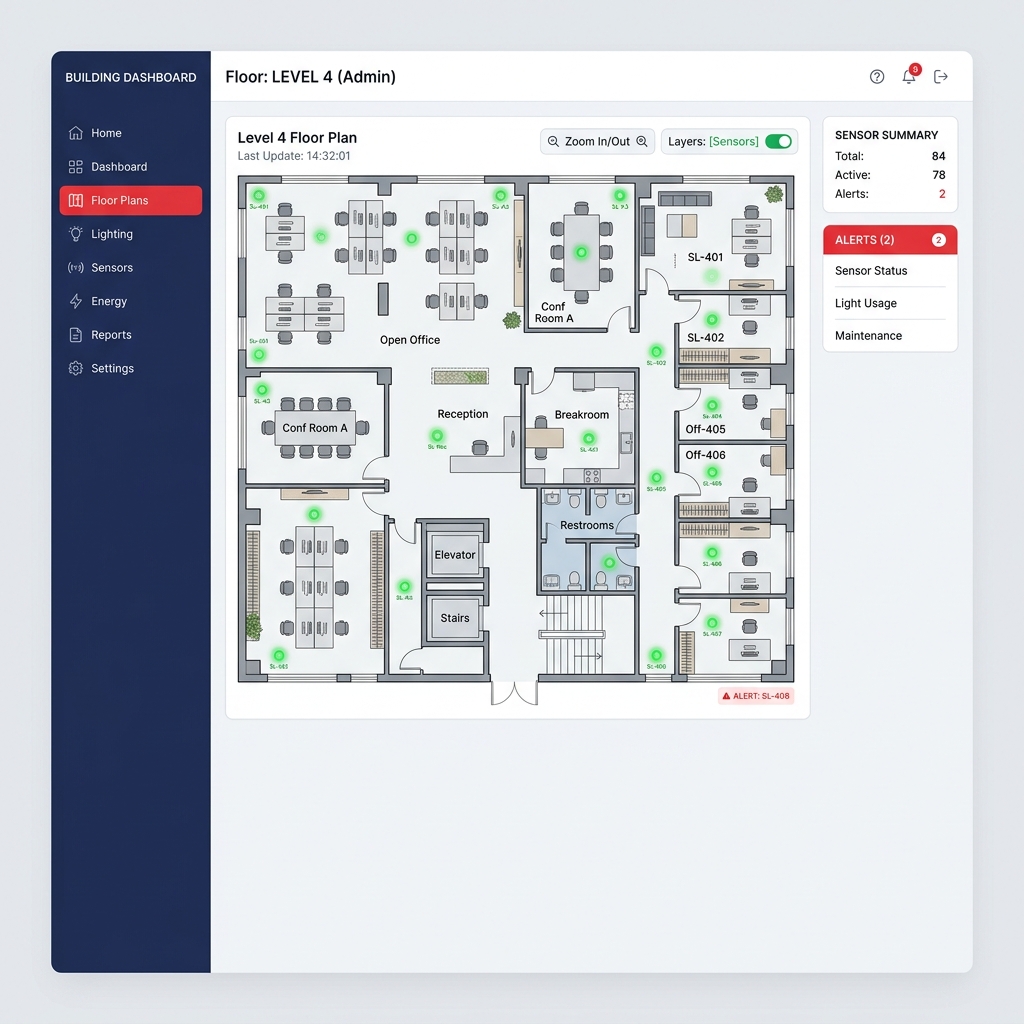
Recovered through a collapsible sidebar, allowing engineers to view high-density floor plans on tablet devices.
Context
Siemens is a technology leader focused on automating a building's energy consumption using smart sensor-based lights.
And how do they do that? They acquired Manage, a tool that uses smart sensors to automate lighting and save energy in tech parks. By tracking motion and daylight, the system intelligently dims or brightens lights to cut waste.
During building construction, field engineers use the app to connect thousands of sensors to the digital grid. I was brought in to redesign the clunky legacy UI and simplify this setup process to make it faster and easier for the field teams.
Problem
Field engineers' productivity was bottlenecked by a wall of data and lengthy interaction flows that slowed every commissioning job
A Siemens field engineer, at the time of building construction is tasked with commissioning about 1,000+ smart sensors across a 5-floor office building. With the legacy app, here's what he was dealing with:
- Bulky navigation and single-purpose panels eating up the floor plan.
- Fixture status only revealed on hover; editable properties buried in cascading right-click menus.
- Repetitive right-click-and-assign workflow for every sensor in a group.
- Manual coordinate entry leading to frequent installation errors.
Design 2/3
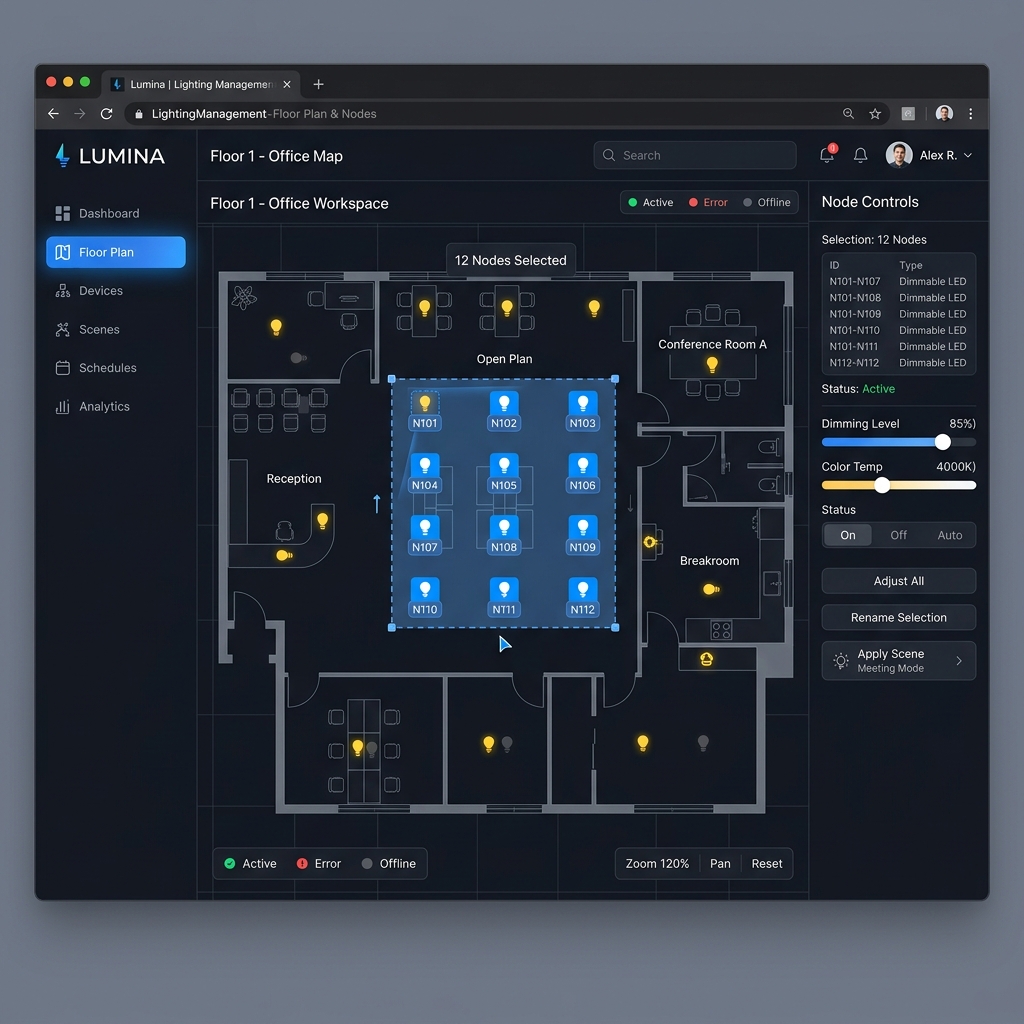
The Drag-to-Group Selection Interaction replacing click marathons with direct selection
Sensor grouping used to mean right-clicking each fixture and navigating cascading menus, which they repeated hundreds of times per building. I redesigned it into three steps: choose the group type, hold cmd/ctrl and drag across the floor plan to select sensors, then save. A core workflow that once took minutes per group now takes seconds.